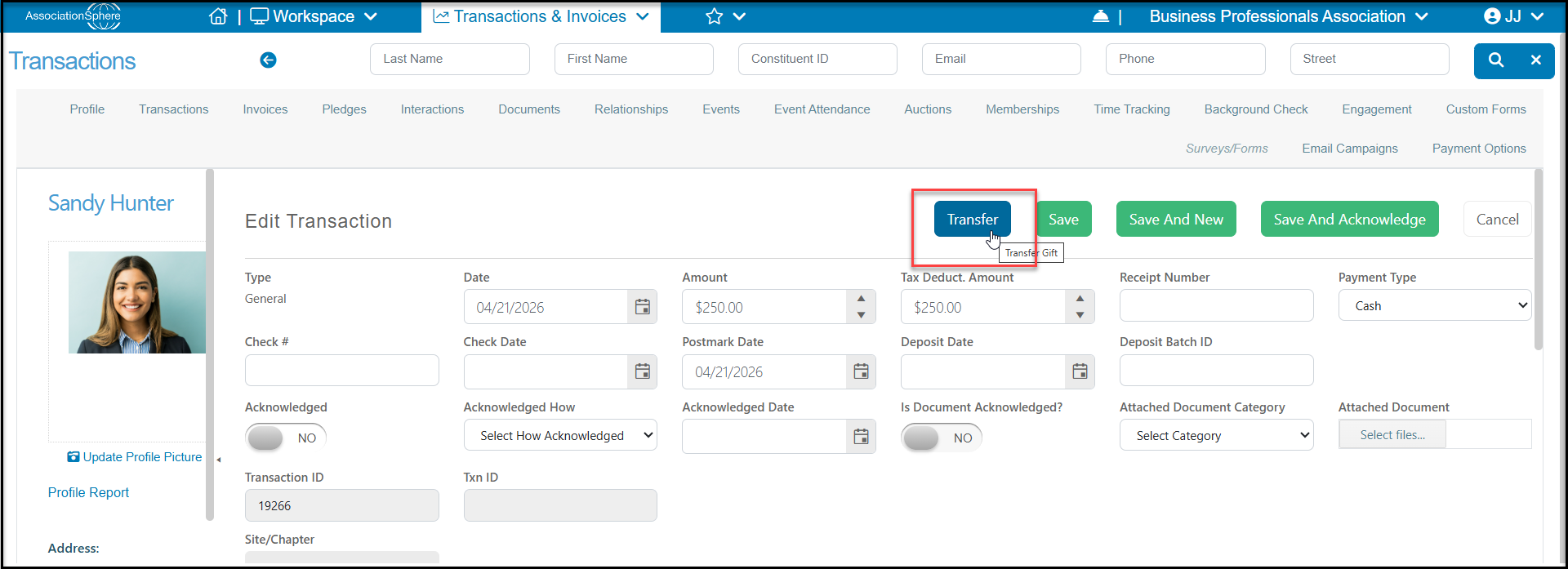
General, In Kind and Stock transaction records can be moved from one Constituent record to another within the software:
- The main Transactions grid
- Inside of the transaction record itself
Memberships are also eligible for transfer, but that would be done from the Memberships grid or the constituent's Memberships tab. For more about membership transfers, see this article "Membership Transfer."
Events, pledges, pledge payments, auction purchases, and invoice payments are not eligible for transfer.
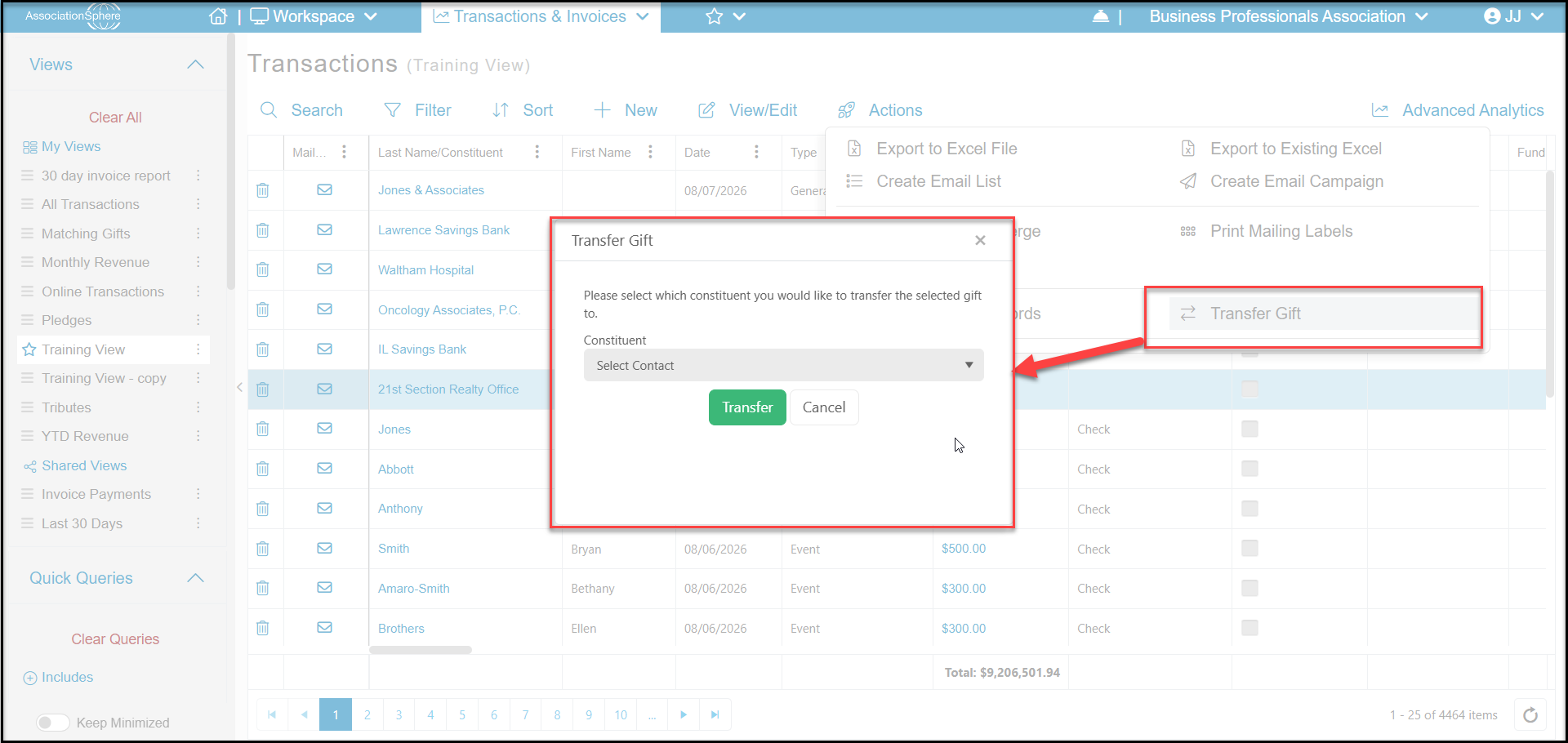
If you wish to transfer a General transaction record on the main Transactions grid you will need to select the desired transaction by clicking on that row to highlight it. Once selected, mouse over the “Actions” menu and click on the Transfer Gift option. A dialog window will then launch with a Constituent dropdown search field.
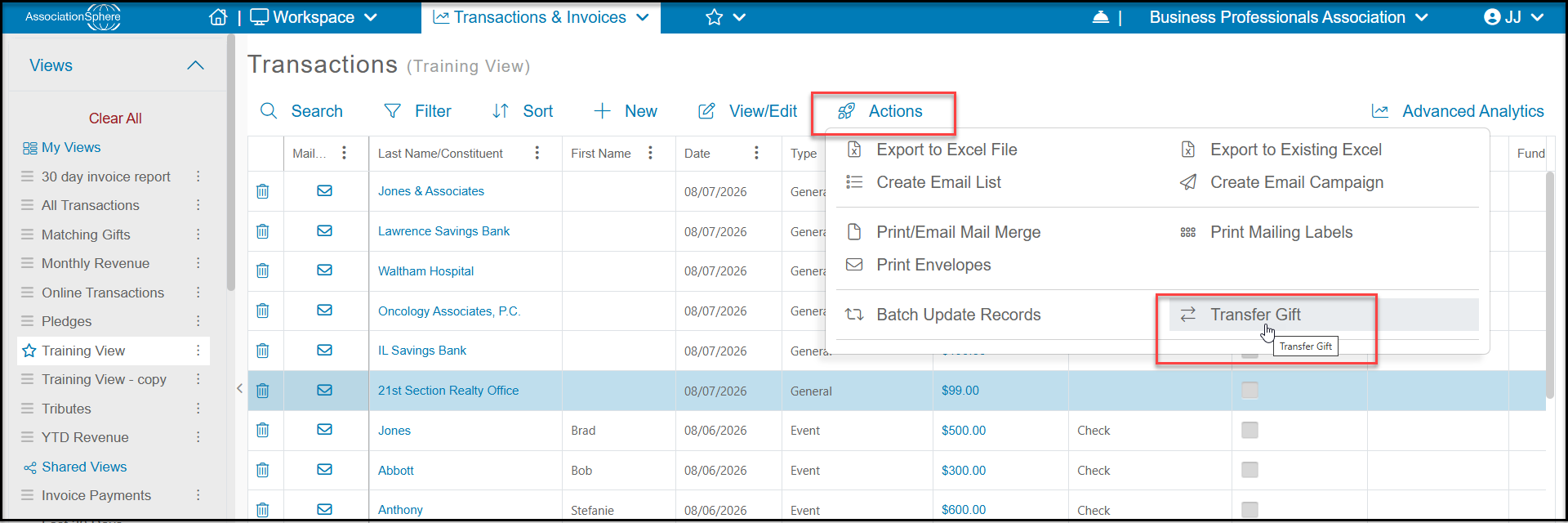
Enter in the last name or company name of the Constituent you wish to transfer the transaction to and select them from the search results. Note that the constituent record must already exist in the database and new constituents cannot be added here. Once the desired Constituent is selected click the green Transfer button to complete the transfer. The transaction will then be updated on the grid with the new Constituent’s information.
There is also a transfer option available if you open the transaction by clicking on the Amount from the Transactions grid or the constituent's Transactions tab. As described above, clicking on the Transfer button will open the window to select the constituent to transfer the gift to.