
If your organization tracks pledges in financial reporting, you may need to record any pledges which go unfulfilled as write offs.
- You are able to edit pledges and delete the entire pledge or payments as needed, however this could affect reporting.
- A write off means that the pledge was committed but the donor did not complete some or all of the payments and you are “writing off” the amount that is due.
- Pledge write offs allow you to keep the record of the original pledges, while also adding a new transaction for the write off.
- The benefit of using the write-off feature is consistency in reporting.
- If your organization is reporting pledges as receivables, or money owed to your organization, deleting the pledge can upset balances from month to month.
- Using the write-off feature allows your organization to account for money that was expected, but not paid.
- Be sure to check with your finance team about whether pledge write offs are appropriate for your organization.
Entering Pledge Write Offs
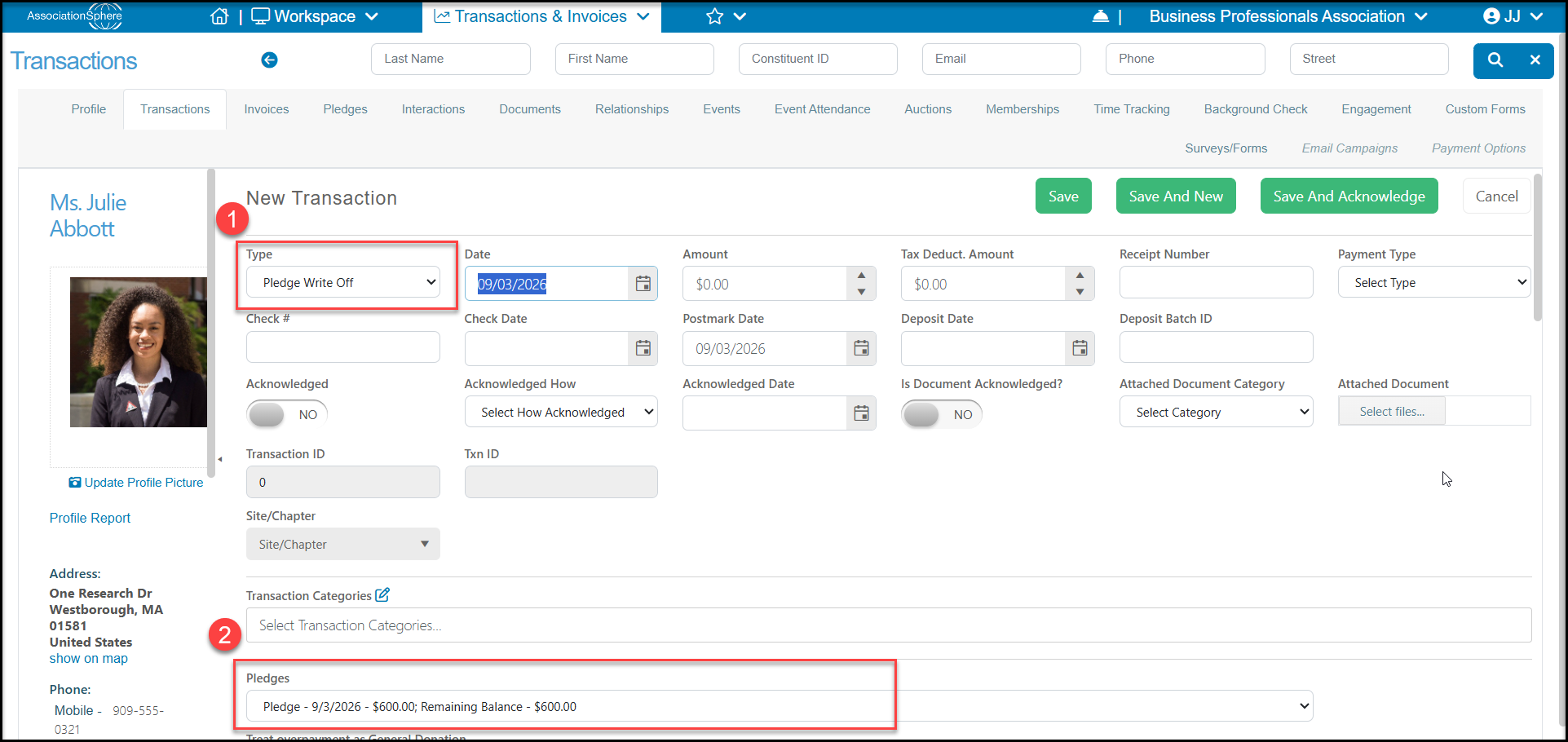
To write off a pledge, select the appropriate constituent from the Transactions Grid, and select +New > Transaction from the menu at the top of the grid or go to the constituent's Transactions tab and select Add > New Transaction. Do not use the Pledges grid or tab.
In the New Transaction window:
1. Select the Type as Pledge Write-Off.
2. Choose the pledge to apply the write off under Pledges. This will also provide you with the remaining balance amount.
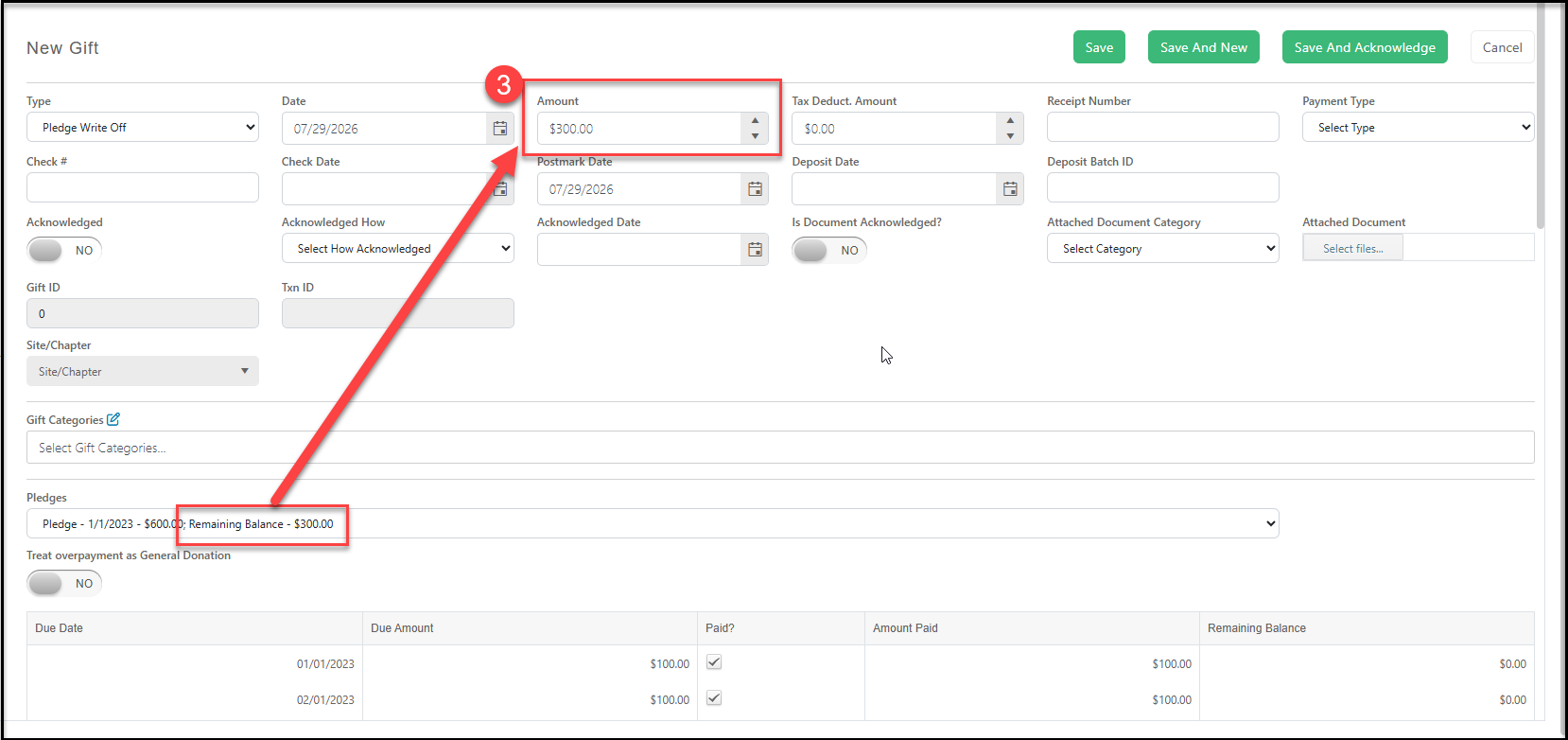
3. To write off the entire balance due, enter that amount in the Amount field at the top.
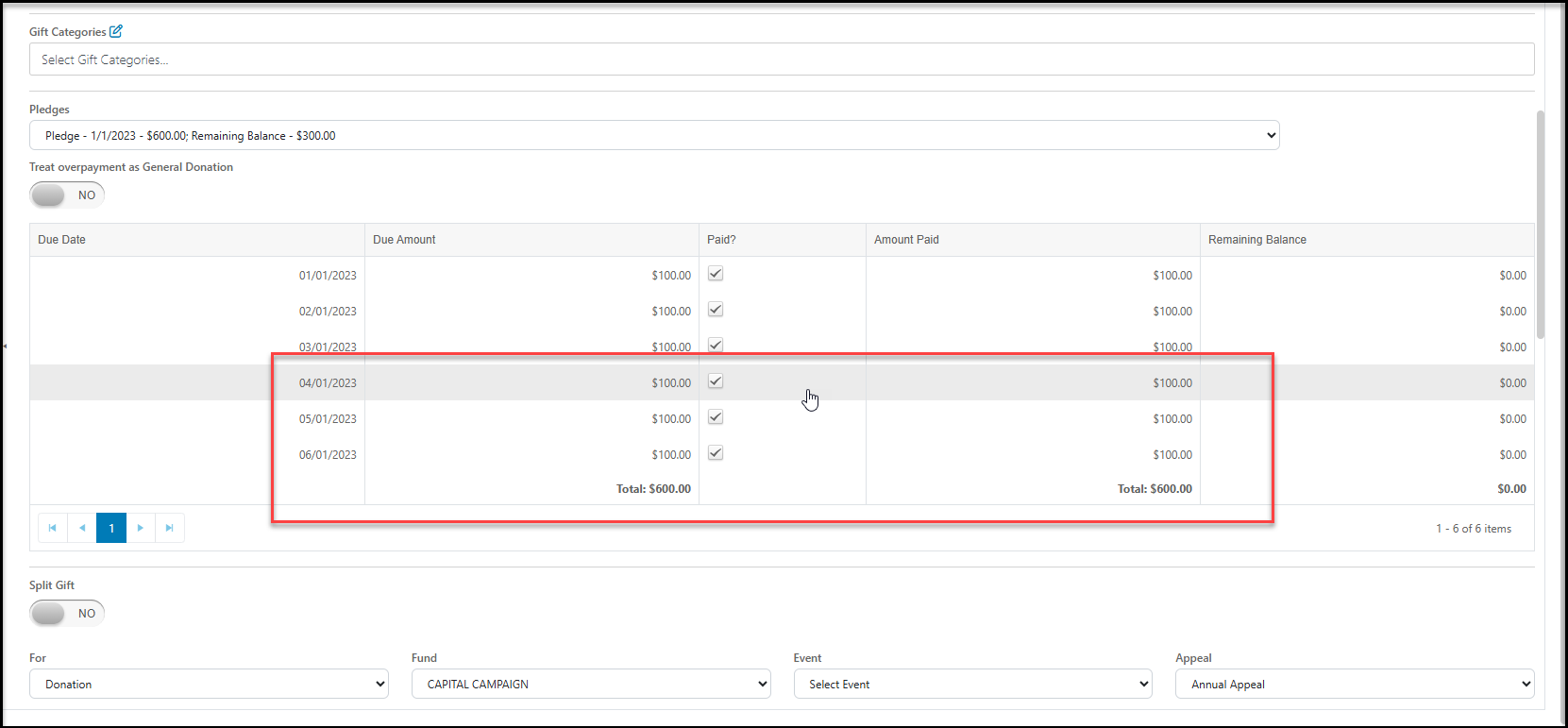
4. After the amount is entered, the pledge schedule below will update to add a check mark in the Paid column to reduce the Amount Due to zero for each outstanding row. Note that these are not entered as payments, this is only to update the pledge schedule to reflect a $0 balance.
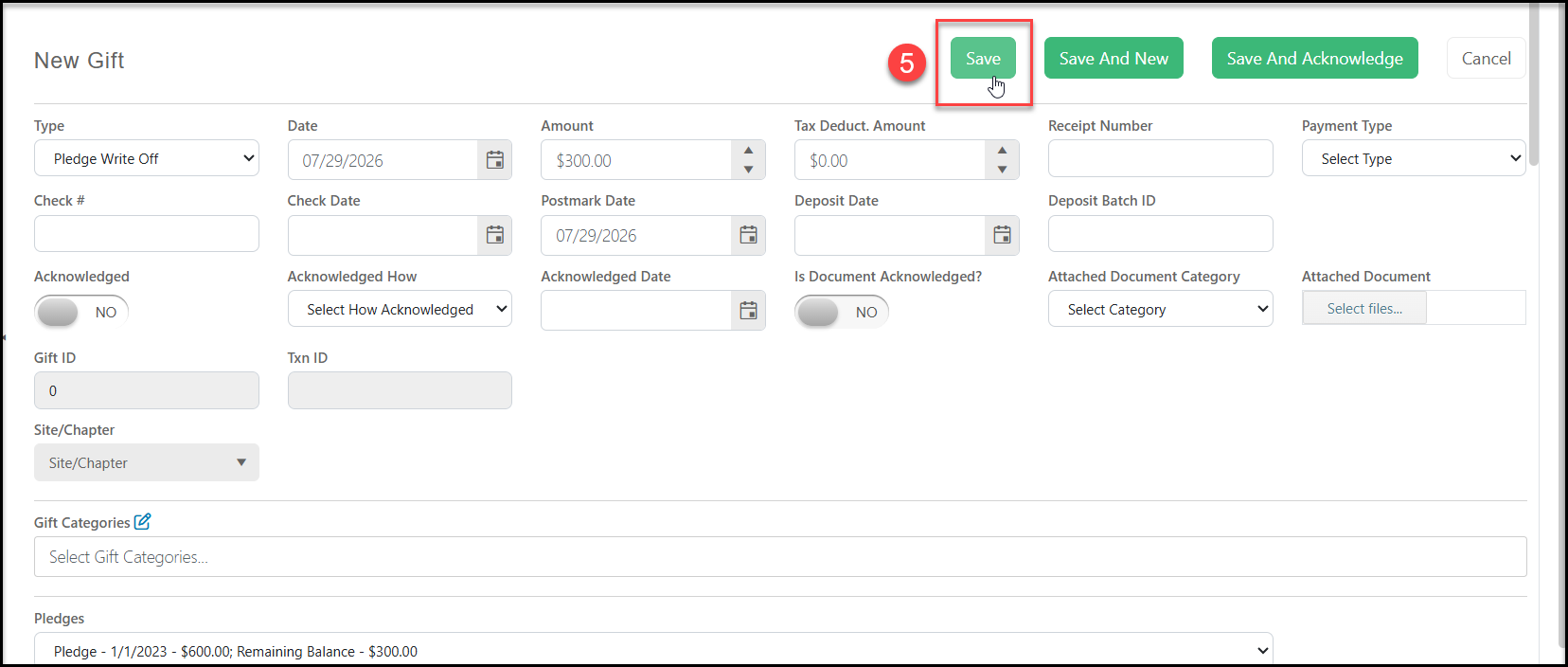
5. Click Save to save the write off for this pledge.
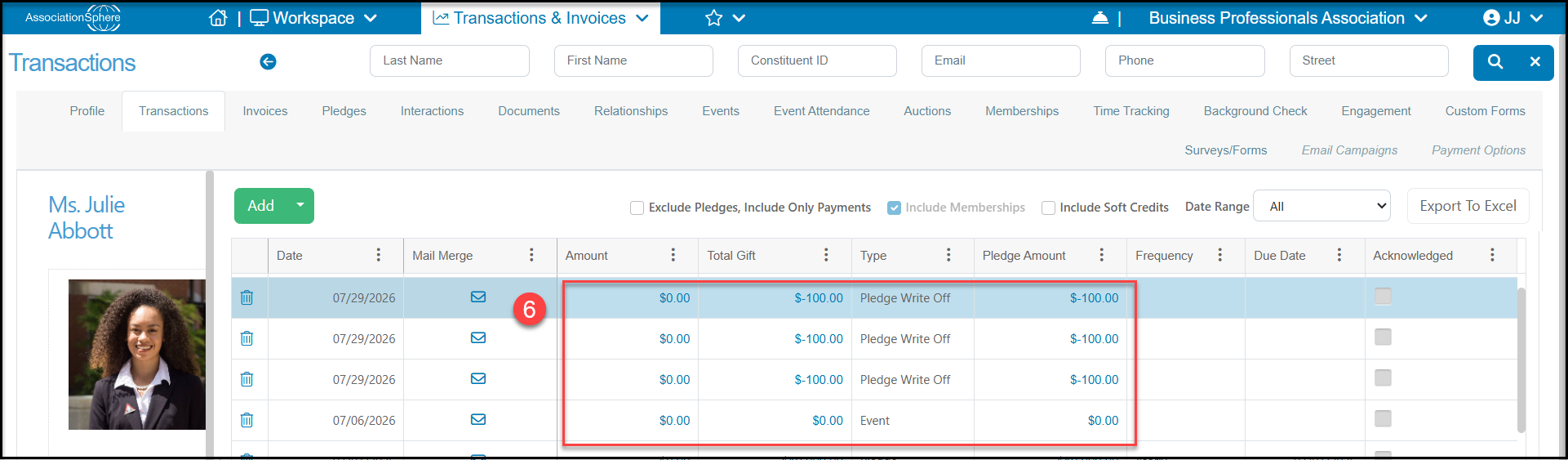
6. On the Transactions grid and the constituent's Transactions tab, the pledges that were written off now show as a Pledge Write-Off under the Type column. The Amount is $0, but the Total Transaction and Pledge Amount will now show a negative number to indicate the removal of the previous pledge balances.
The benefit of using the write-off feature is consistency in reporting. If your organization is reporting pledges as receivables, or money owed to your organization, deleting the pledge can upset balances from month to month. Using the write-off feature allows your organization to account for money that was expected, but not paid.