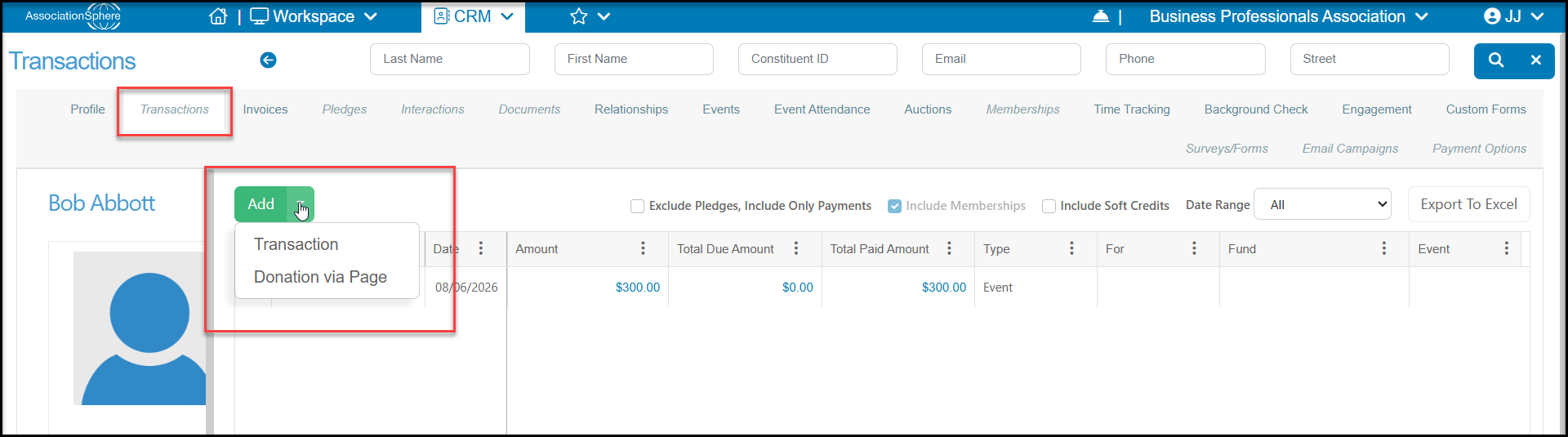
Inside a constituent's record on their Transactions tab, you will see a green Add button. Once you click this button you will be shown two options: "Transaction" and "Donation via Page." Transaction will launch a blank transaction entry page so that you can record your transaction information.
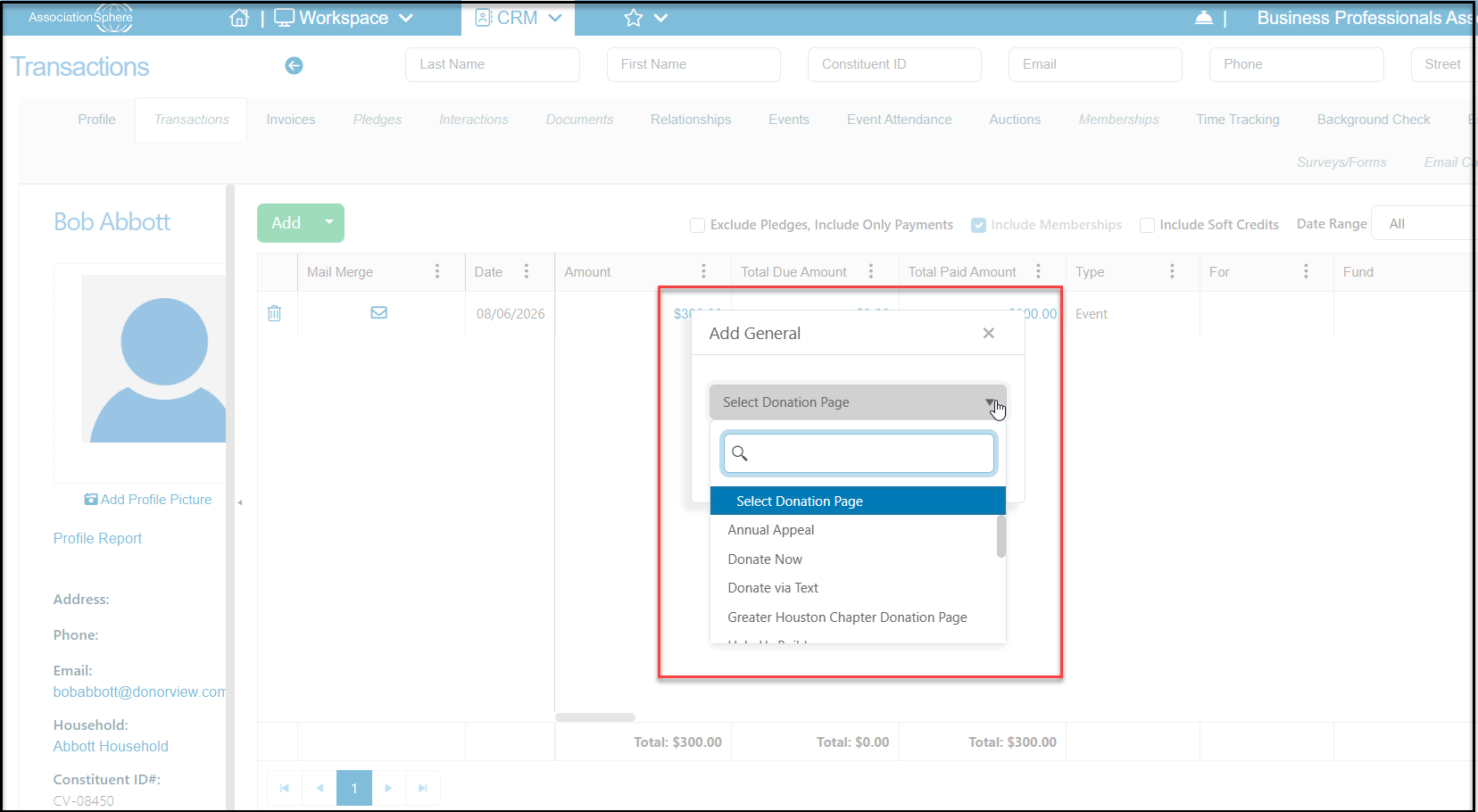
Donation via Page allows you to select and use any of your online donation forms to process a credit card donation. The Donation Pages are listed in alphabetical order under Select Donation Page. This will open the form with this constituent's information auto-populated in the Payment fields at the bottom of the page.
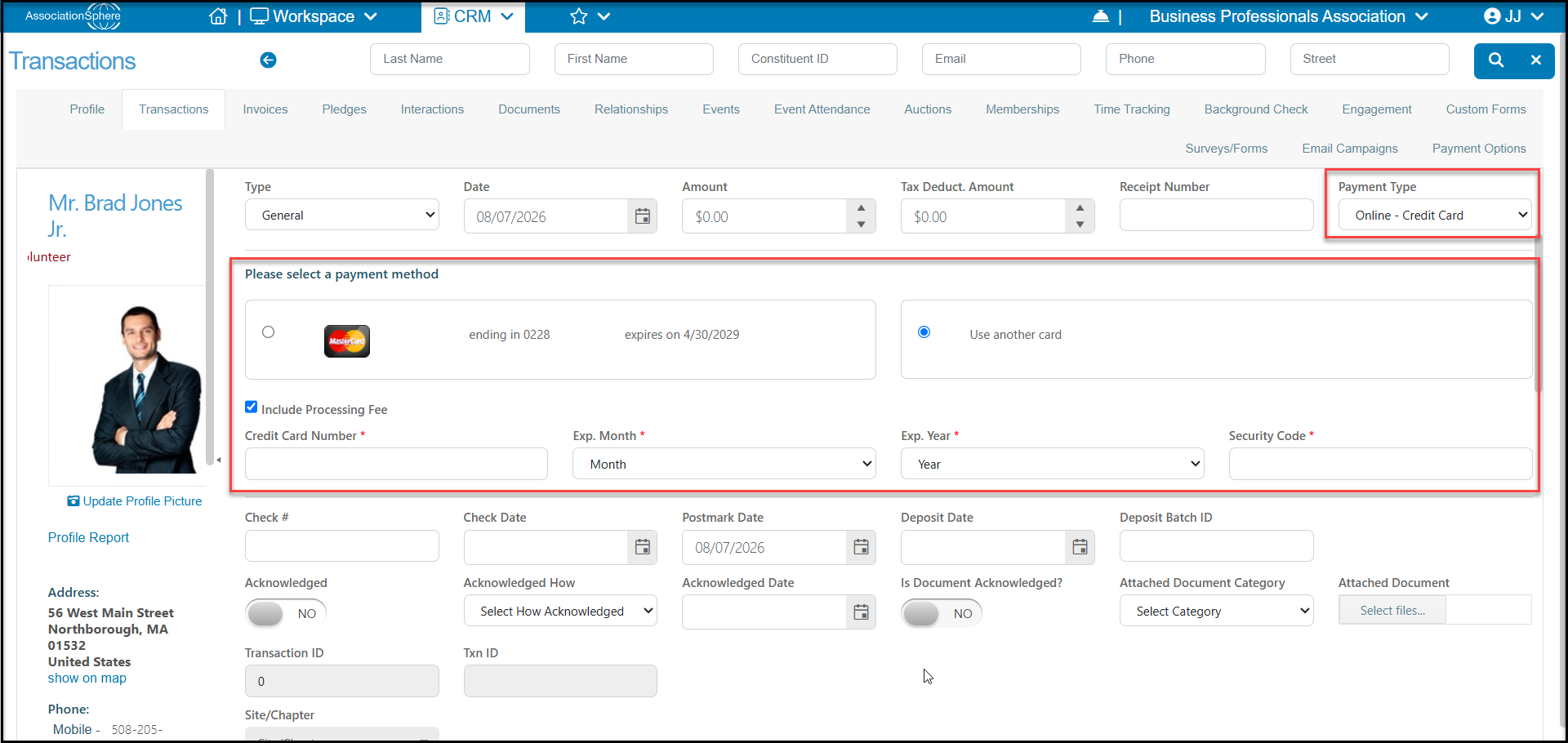
However, it is not necessary to open a donation page to process a credit card transaction. This Payment Type "Credit Card" or "Online - Credit Card" is available from the Add > Transaction Entry screen for General, Invoice Payment, or Pledge Payment Types. You can choose to use a card on file or add another card as well as Include Processing Fee as desired.