As an alternative to a grid's Filter menu you can also insert and apply filters directly to a column on the grid. These filters are also applied in the order they are entered. Once the desired column is found click the column settings (three dots) menu for that column. Hover over the Filter option and you can input in the type of filter and filter value.
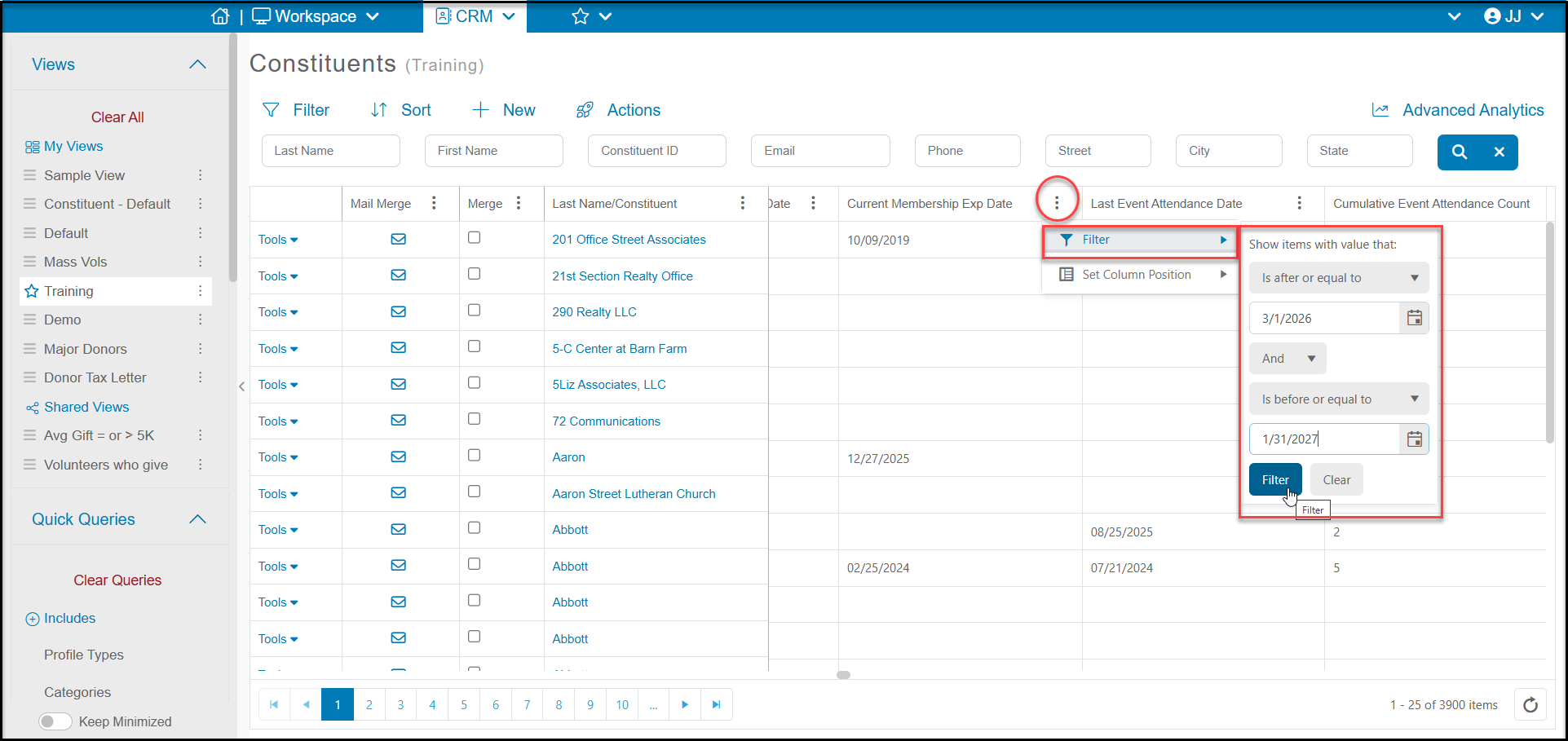
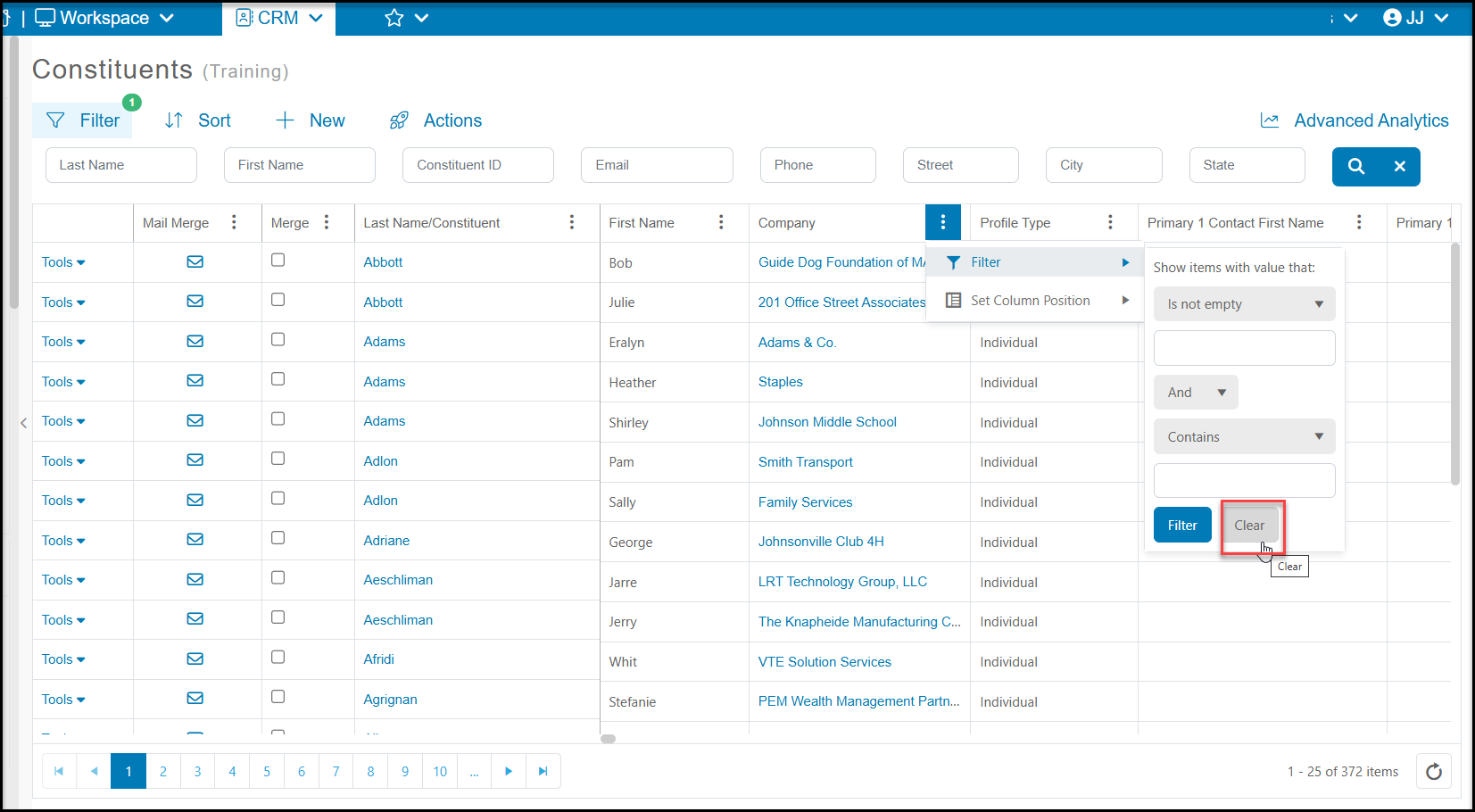
Up to two filters can be applied per column and you can select "and" or "or" between those two filters to get the desired results. Once the filter values have been assigned click "Filter" to apply them to the grid. To remove them you can use the column settings again and click the "Clear" button.
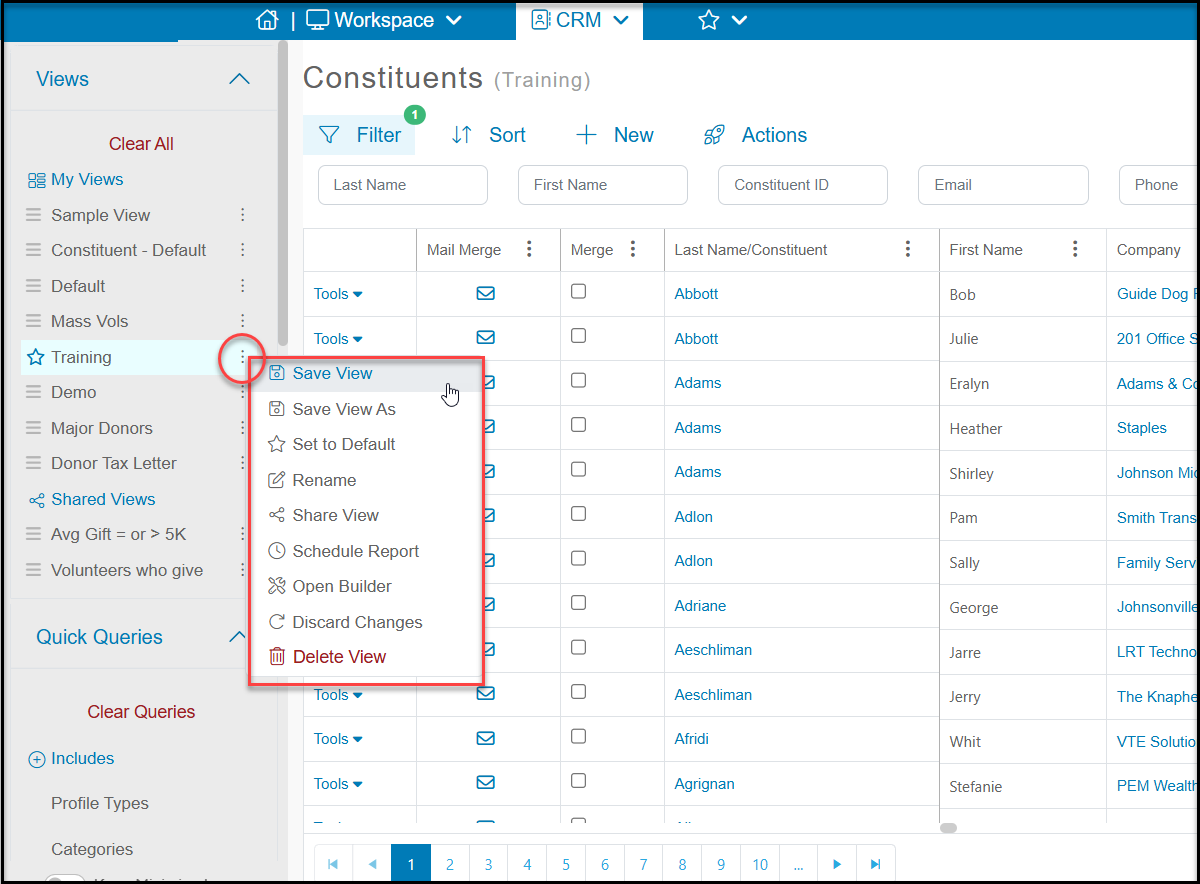
Also if you wish for these new filters to be a part of your view moving forward please remember to save your view using Save View to make the changes permanent for this view or Save View As to create a new view.