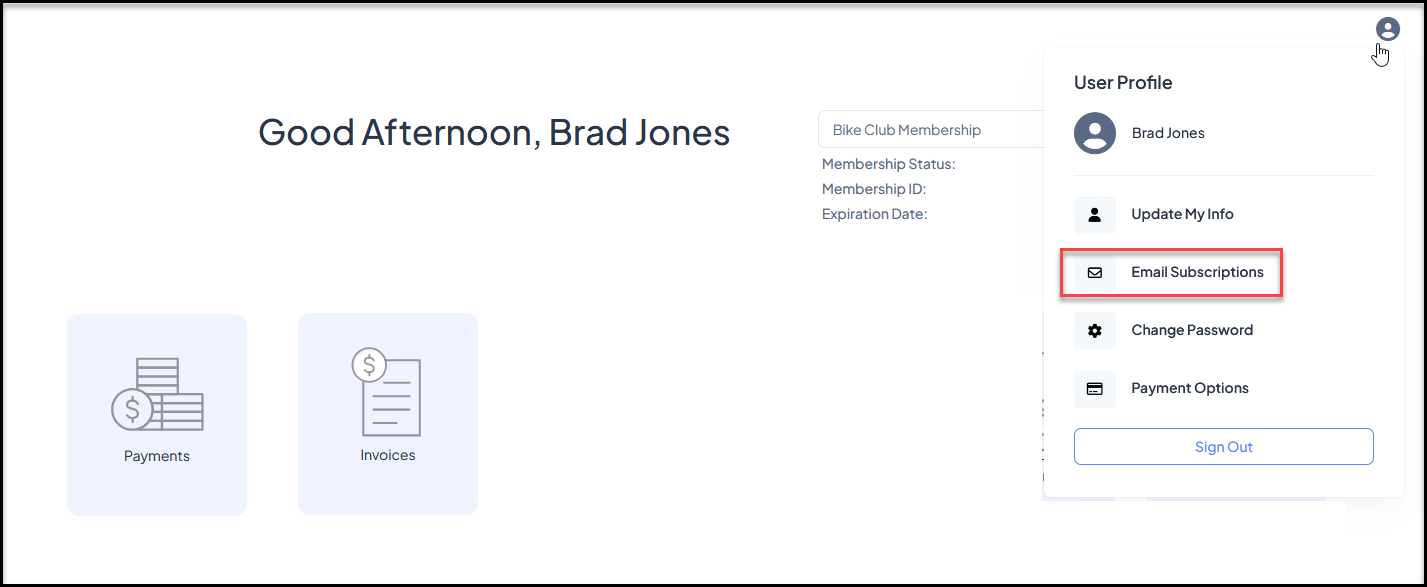
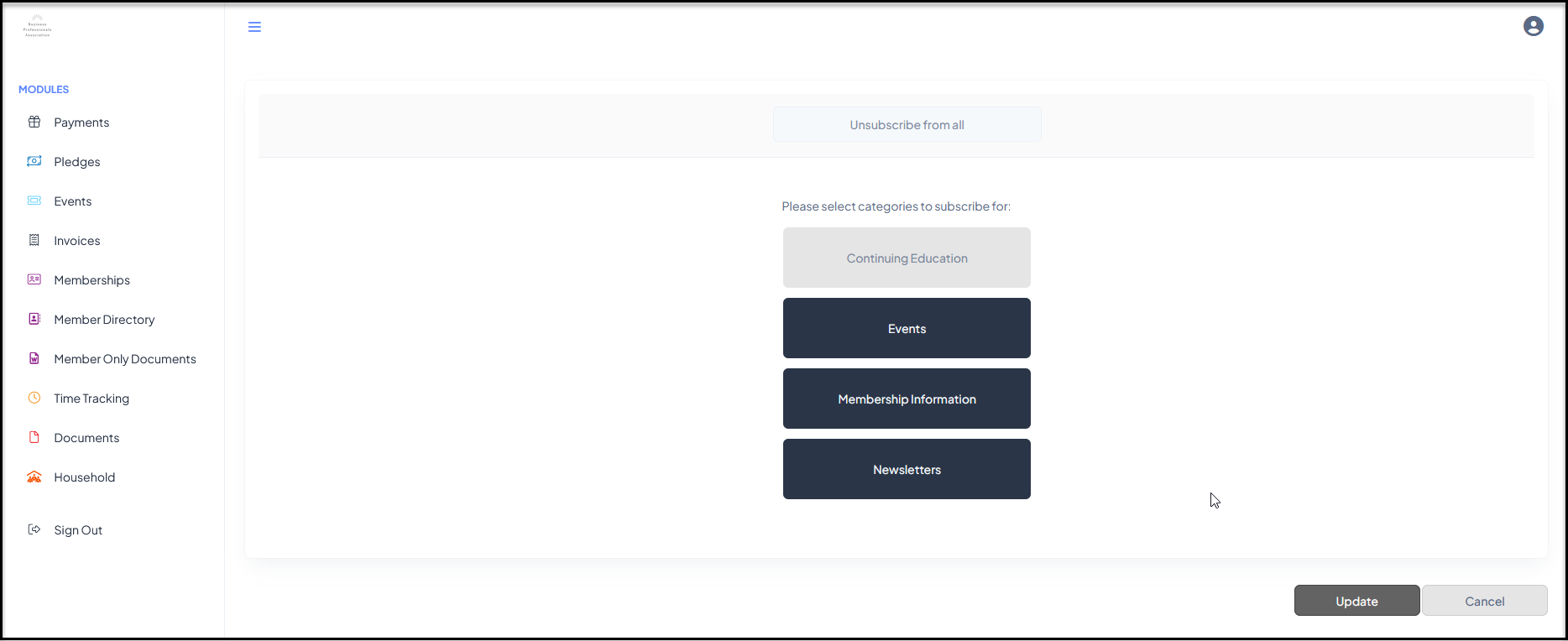
A member (or any constituent) can unsubscribe from all future emails by clicking the unsubscribe link at the bottom of your email marketing messages. A constituent can also manage their own subscriptions via the Constituent Portal. The constituent would log into their portal account and can find the link to manage their subscriptions under the user icon in the top right corner. From the Email Subscriptions page, they can select or unselect email list categories, not specific email lists. They could also click the box "Unsubscribe from all" to be removed from all future email campaigns.