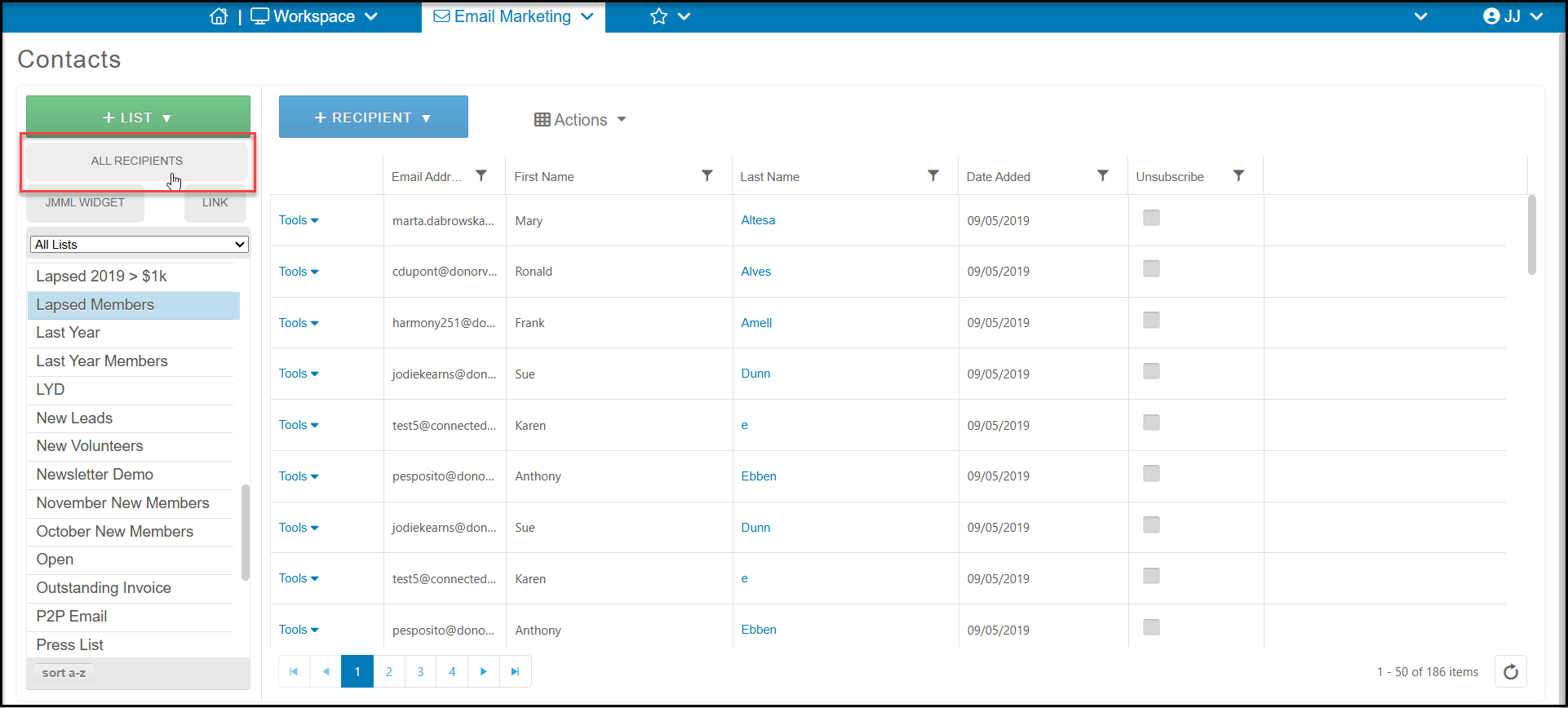
To see the records that are unsubscribed, please go to Email Marketing > Contacts and then click on the All Recipients button.
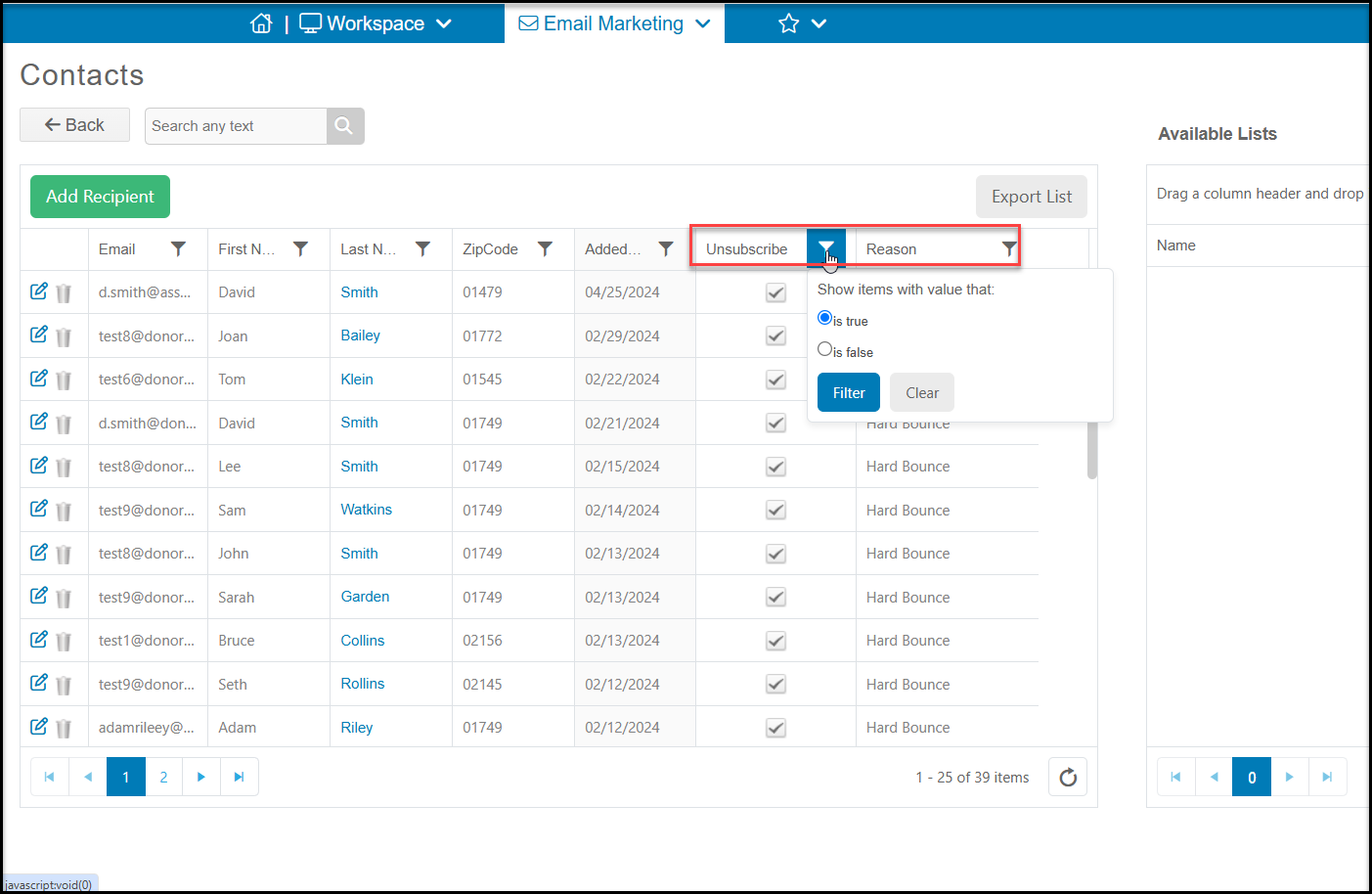
On the grid on the right side, there are columns called Unsubscribed and Reason. If you filter the Unsubscribed column to true, that will show you all emails that are currently unsubscribed. The Reason column will either show unsubscribed or hard bounce. Hard bounce indicates that the email address is no good and cannot accept emails.
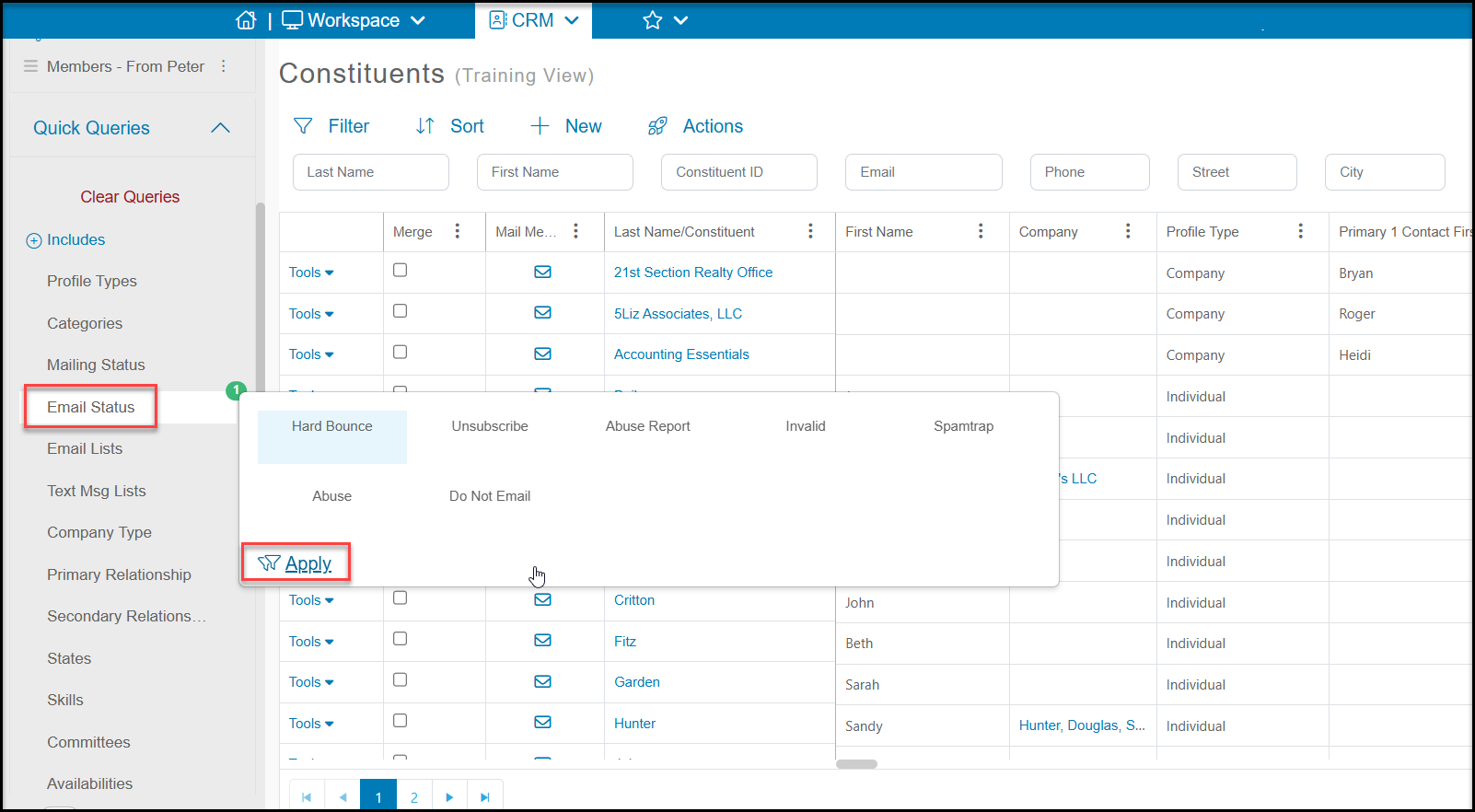
You can also see a list of constituents' email statuses from the Constituents grid. Using the Quick Queries menu on the left, choose which statuses you wish to view to see all the constituents with that status.